

Explore
What Explore is
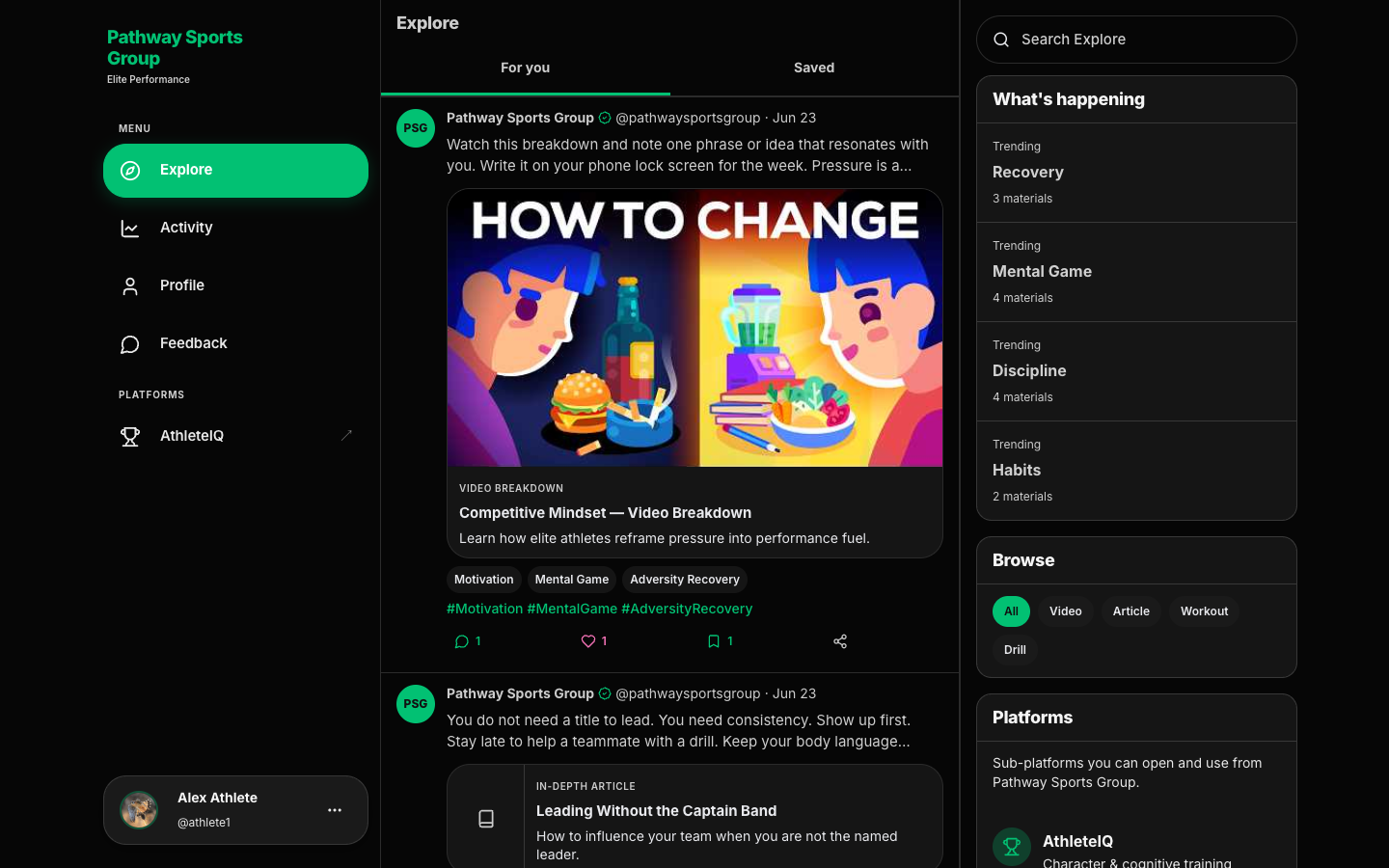
Section titled “What Explore is”Explore is the learning hub on the platform website. After you sign in, it’s usually where you land first (/explore).
It’s for athletes, parents, and coaches who want articles, videos, and other Pathway learning materials beyond AthleteIQ’s daily check-in.
Explore is not where you do check-ins or manage teams. Those live in AthleteIQ.
Who it’s for
Section titled “Who it’s for”| Audience | How to use Explore |
|---|---|
| Athletes | Learn habits and character ideas before (and after) joining a team |
| Parents | Stay connected to Pathway ideas without living in AthleteIQ all day |
| Coaches / partners | Point families to shared reading and videos during rollout |
Prerequisites
Section titled “Prerequisites”- A Pathway account (sign up & login)
- You’re signed in on pathwaysg.net — Explore requires login
Step-by-step: browse the feed
Section titled “Step-by-step: browse the feed”- Sign in on pathwaysg.net.
- Open Explore from the sidebar (or land there after login — the site routes you here by default).
- Stay on the For you tab for the full feed, or switch to Saved to see materials you’ve bookmarked.
- Scroll Pathway posts (each card is published by Pathway Sports Group).
- Open a card to read or watch the full material.
If nothing matches your filters, you’ll see No materials found. Use Load more when the feed has additional items.
Search and filter
Section titled “Search and filter”Use the right-hand Explore rail (on smaller screens, open Search from the Explore chrome).
| Control | What it does |
|---|---|
| Search Explore | Finds materials by title, summary, or related tags |
| Browse | Filter by material type (dynamic list from Pathway — today that often includes Video, Article, Workout, and Drill, plus All) |
| What’s happening | Jump into a trending tag |
| Tags / hashtags on a post | Open Explore filtered to that tag |
| Active filters → Clear all | Remove search, type, and tag filters at once |
Actions on a material
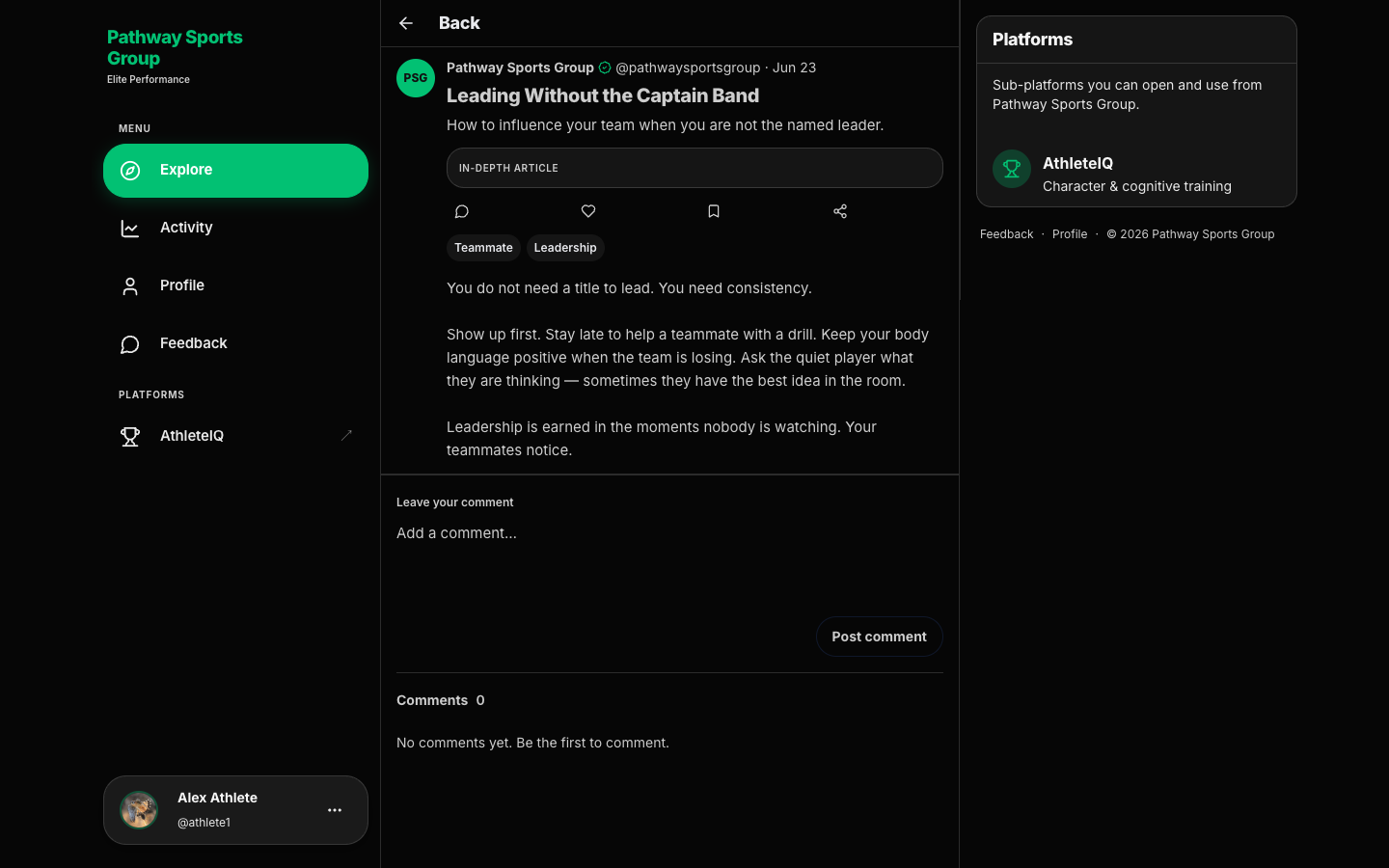
Section titled “Actions on a material”On a feed card or the full material page:
| Action | What it does |
|---|---|
| Like | Toggle a like on the material |
| Bookmark | Save it for later (appears under the Saved tab). Use Remove bookmark to undo |
| Share | Copies the material link so you can paste it elsewhere |
| Comments | Jump to the comments section (on the material page you can Post comment) |
On the material page you may also see the full body, a video embed or cover image, topic tags, and an External link when Pathway provides one.
How Explore connects to AthleteIQ lessons
Section titled “How Explore connects to AthleteIQ lessons”| Explore (website) | AthleteIQ lessons |
|---|---|
| Broader learning library after login | Shorter, pillar-tied learning |
| Search, Browse types, trending tags, Saved | Often suggested after a check-in when a pillar needs attention |
You can use both. They’re complementary, not duplicates.
What success looks like
Section titled “What success looks like”- You land on Explore after login without hunting
- You can search or clear filters and get back to For you
- You’ve bookmarked at least one item under Saved
- You know Explore is on the website, while daily check-ins stay in AthleteIQ
If something goes wrong
Section titled “If something goes wrong”| Issue | What to try |
|---|---|
| Sent to login instead of Explore | Sign in, then open Explore again |
| Empty feed / No materials found | Clear all filters; switch back to For you; refresh |
| Can’t find a topic | Broaden search; try a trending tag; clear type filter |
| Wanted AthleteIQ instead | Open athleteiq.pathwaysg.net with the same account |
| Content looks wrong or broken | Submit Feedback with the material title |
Related reading
Section titled “Related reading”- Activity & profile — streaks, badges, and your engagement timeline
- Messages, lessons & more — AthleteIQ lessons
- Character pillars