

Messages, lessons & more
What’s on this page
Section titled “What’s on this page”Beyond check-ins and goals, AthleteIQ includes tools that keep teammates connected and help learning stick.
| Jump to | Use it for |
|---|---|
| Messages | Email-style inbox with coach / parent |
| My Team | Team name, focus pillar, teammates |
| Peer evaluation | Rate a teammate when prompted |
| Lessons | Short pillar lessons after check-in |
| Profile | Character IQ and recruiting visibility |
For the home dashboard layout, see Your AthleteIQ home.
Messages
Section titled “Messages”What it’s for
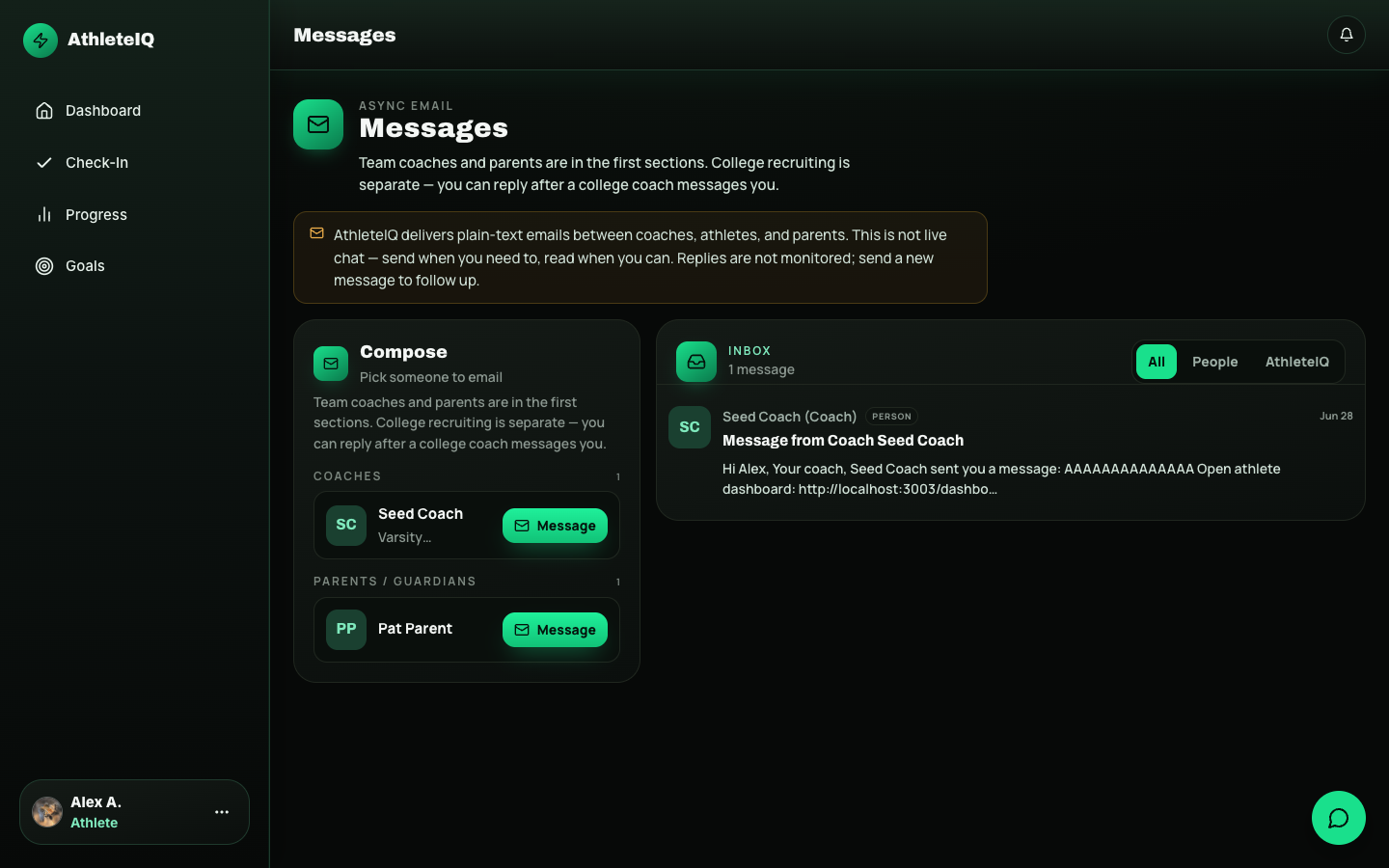
Section titled “What it’s for”Talk with allowed contacts (often your coach and a linked parent). Use it for questions, encouragement, and logistics — not for everything that belongs in a face-to-face conversation.
How to use it
Section titled “How to use it”- Open Messages.
- Browse your inbox for conversations.
- Open a thread to read and reply.
- Compose a new message when you need to start a conversation.
- Keep messages constructive and clear.
Safety note
Section titled “Safety note”If something feels urgent about safety or wellbeing, talk to a trusted adult offline too — don’t rely only on in-app chat.
My Team
Section titled “My Team”After you join a team, My Team typically shows:
| Item | Why it matters |
|---|---|
| Team name | Confirms you joined the right roster |
| Weekly focus pillar | What your coach wants the group emphasizing |
| Team stats | Shared context for culture |
| Coach name / contact | Who to reach for codes, questions, feedback |
| Teammates | Who you’re growing with |
| Sport, age tier, join date | Roster facts |
If My Team is empty, you probably still need to join with an invite code.
Peer evaluation
Section titled “Peer evaluation”Peer evaluation lets you rate a teammate on the five character pillars. It complements your own daily self-check-in — another angle on how people show up for each other.
How to do it well
Section titled “How to do it well”- Open the peer evaluation flow when offered / from navigation.
- Choose the teammate you’re evaluating.
- Rate pillars honestly and kindly.
- Submit.
Be fair. These ratings help teammates grow; they’re not a dunk contest.
Lessons
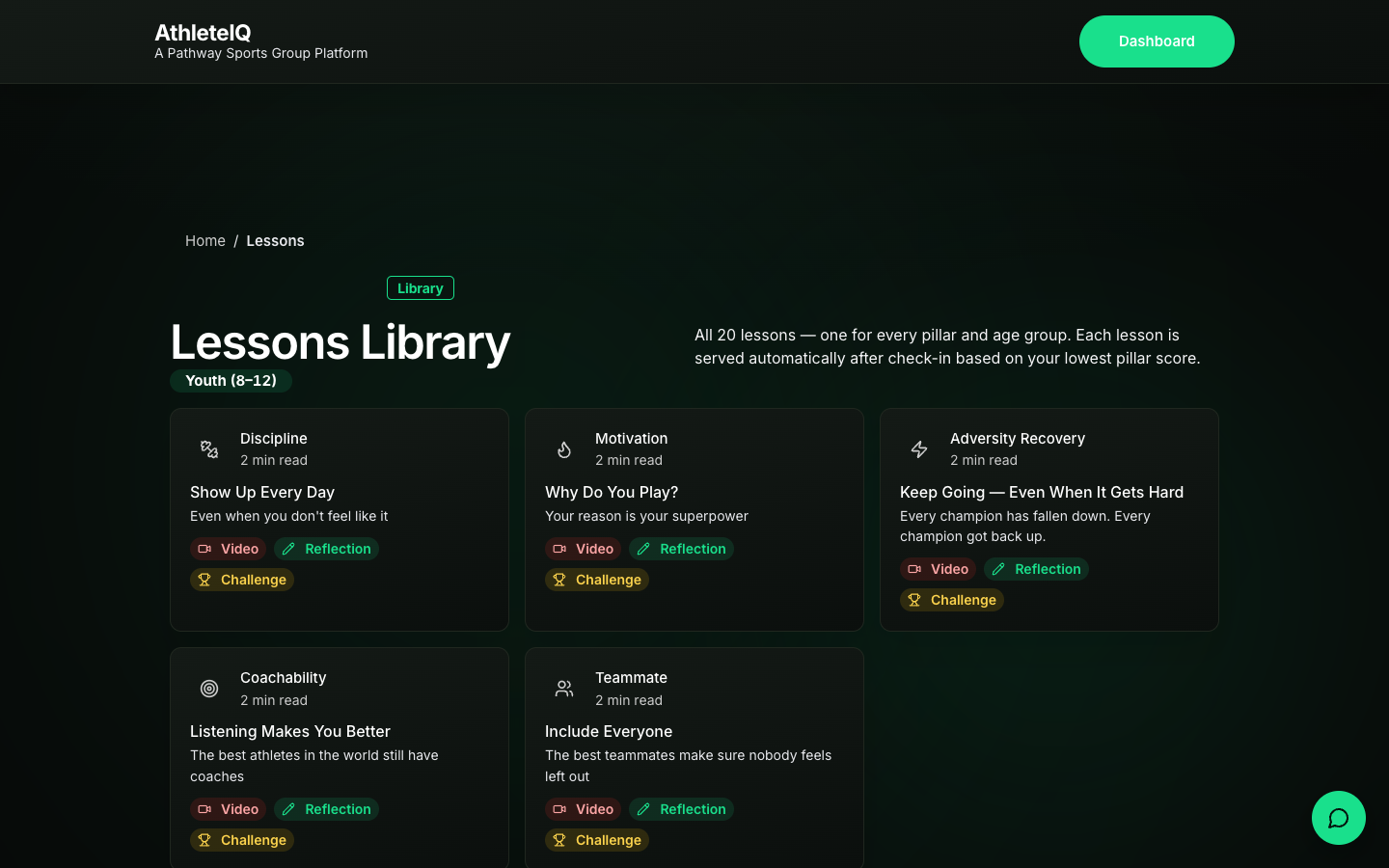
Section titled “Lessons”AthleteIQ includes a structured lessons library (pillars × age tiers) with content, reflection, and optional challenges.
When lessons appear
Section titled “When lessons appear”- You browse the lessons library on purpose
- After a check-in, you may get a recommendation when a pillar needs attention
How to complete a lesson
Section titled “How to complete a lesson”- Open the recommended lesson (or browse the library).
- Watch / read the content.
- Complete the reflection if asked.
- Optionally accept a challenge to practice the idea in real life.
- Return to your normal check-in habit tomorrow.
Lessons vs Explore
Section titled “Lessons vs Explore”| AthleteIQ lessons | Platform Explore |
|---|---|
| Tightly tied to pillars + check-ins | Broader learning library on the website |
| Often suggested after a weak pillar day | Browse anytime while signed in |
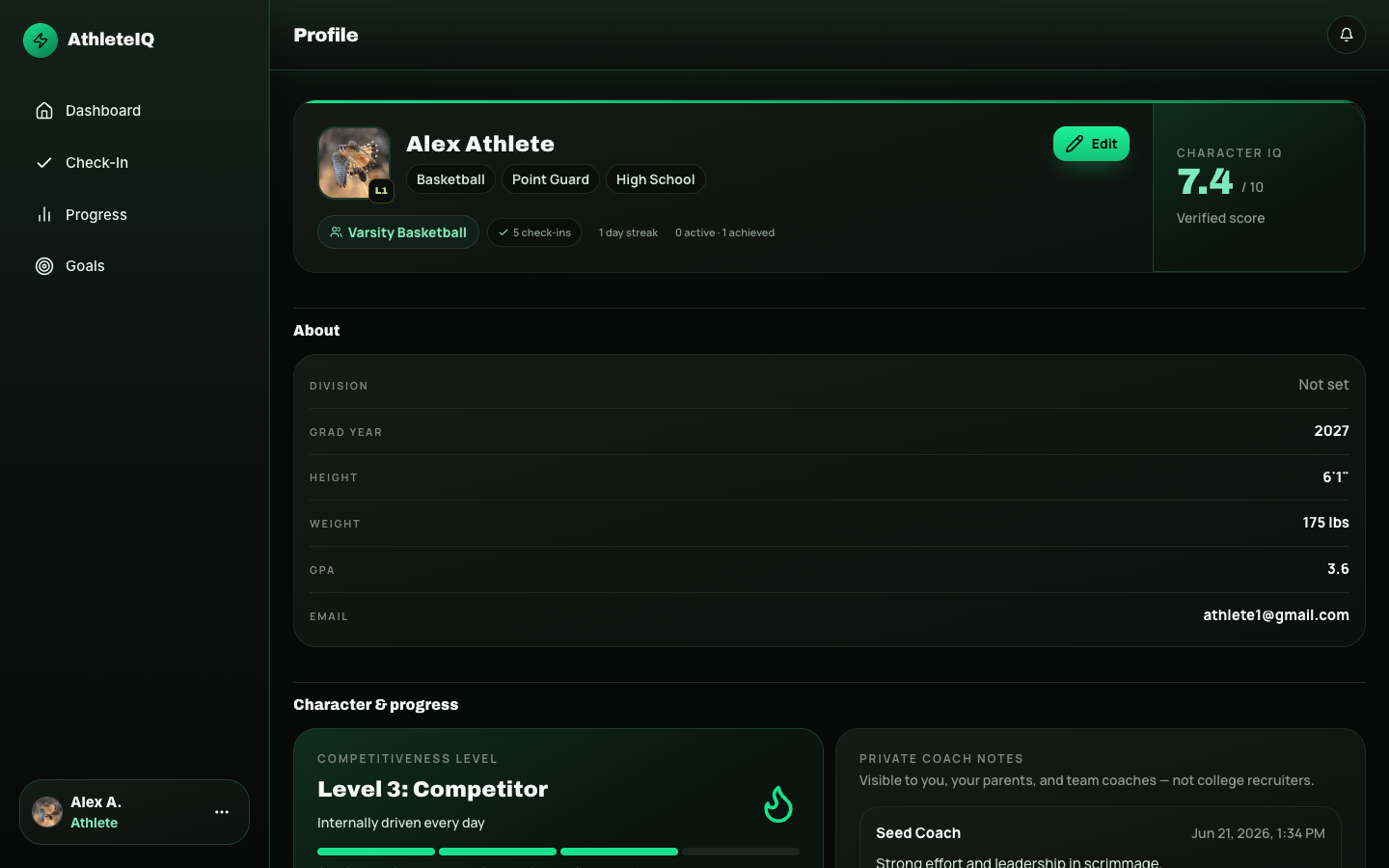
Your profile
Section titled “Your profile”From your athlete profile you can typically:
| Action | Notes |
|---|---|
| Review pillar breakdown, goals, coach evaluations | Snapshot of your character story |
| See trend over time + XP / level | Long-view motivation |
| Edit profile details | School, sport, and related fields |
| Manage share with parent | Start or manage parent linking |
| Control recruiting visibility | Opt in/out of being visible to college coaches (when available for your age) |
What success looks like
Section titled “What success looks like”- You can message your coach without hunting
- My Team shows the correct team name
- You’ve tried at least one lesson tied to a real check-in
- Recruiting visibility matches your intent (on or off)
If something goes wrong
Section titled “If something goes wrong”| Issue | What to try |
|---|---|
| No teammates listed | Join team first |
| Can’t message someone | They may not be an allowed contact yet |
| Lesson won’t open | Refresh; try from check-in recommendation again; Feedback |
| Recruiting toggle missing | May be age/role gated; ask coach or Feedback |
| Parent still not linked | See Parent getting started |