

Parent getting started
Parents get visibility without taking over the athlete’s journey. You can see check-ins, trends, and shared coach feedback — only after your athlete approves the connection.
Who this is for
Section titled “Who this is for”Parents and guardians who want to follow an athlete’s AthleteIQ check-ins, progress, and coach shoutouts.
What you’ll need
Section titled “What you’ll need”- An email address (or Google account)
- Your child’s AthleteIQ email (if you’re sending the link request)
- Your child’s cooperation to approve the link
Before you begin
Section titled “Before you begin”| Question | Answer |
|---|---|
| Can I sign up before my child? | Yes — create your Parent account first, then link once they have AthleteIQ |
| Will I see data right after I send a request? | No — wait for your child to approve |
| Can I check in for them? | No — remind them; use Messages if you need to nudge |
Two ways to connect
Section titled “Two ways to connect”| Path | Best when… |
|---|---|
| A — You start | Your child is already on AthleteIQ and you want to request the link |
| B — Your child invites you | Your child shares your email from their dashboard first |
Both paths end the same way: the athlete must approve before you see any data.
Path A — You initiate the link
Section titled “Path A — You initiate the link”-
Create your Pathway account
Sign up on pathwaysg.net or start from AthleteIQ (you’ll be sent to the platform to authenticate).
- Continue with Google, or create an account with email
- If you used email, open your inbox and click the confirmation link before you log in
-
Choose Parent
In AthleteIQ onboarding, select Parent (“Follow your child’s progress”) and finish setup. Parents don’t need school or sport fields.
-
Send a link request
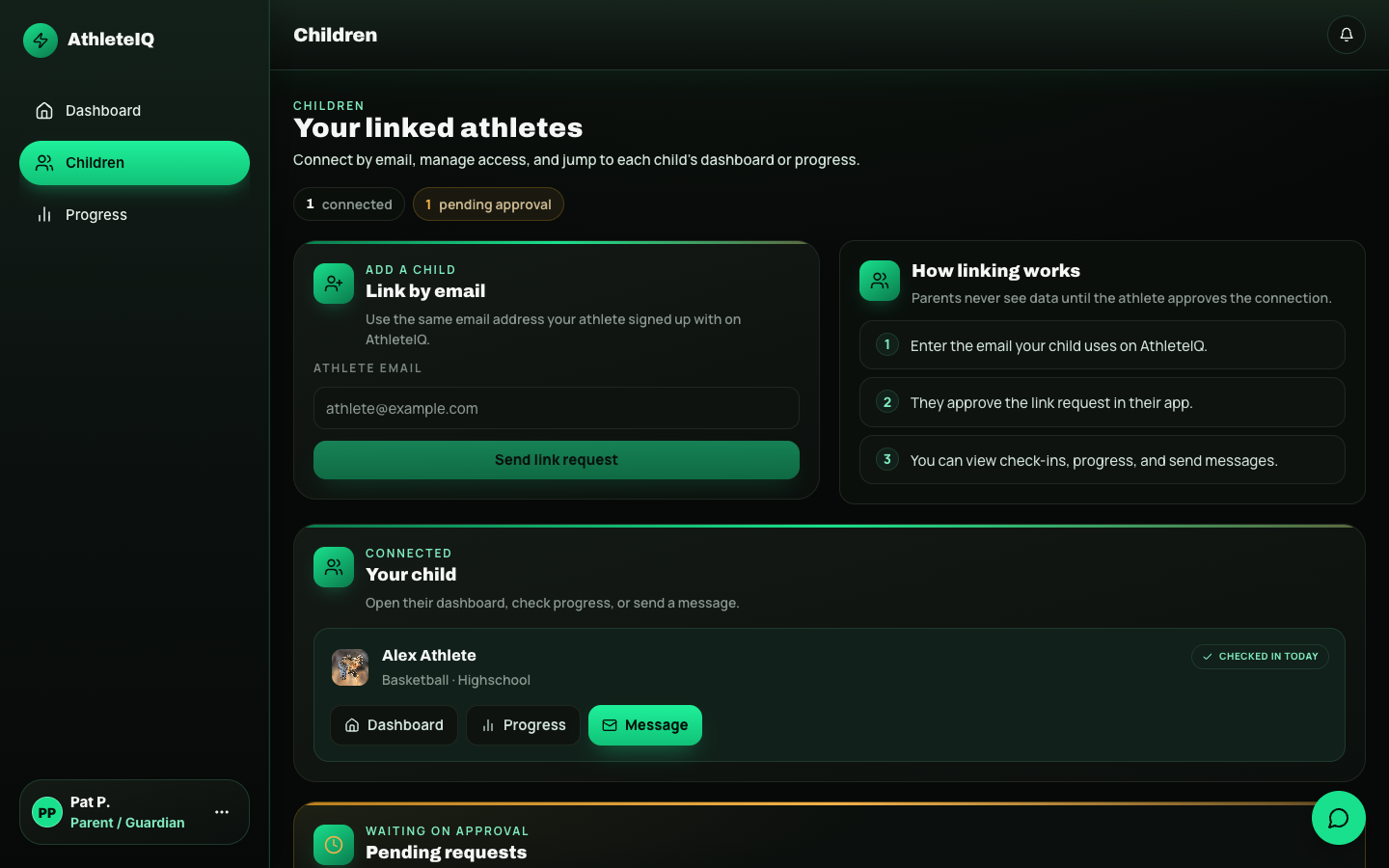
Open Children → Link by email. Enter the exact email your child uses on AthleteIQ, then send the request.
-
Wait for approval
The request stays Pending until your child approves it in AthleteIQ. Ask them to check for a pending parent request on their dashboard.
-
Open their dashboard
Once connected, open:
Area What you’ll see Dashboard Today’s check-in status, scores, insights, shoutouts Progress Trends and history over time Messages Conversation with allowed contacts Children Connected kids and pending requests
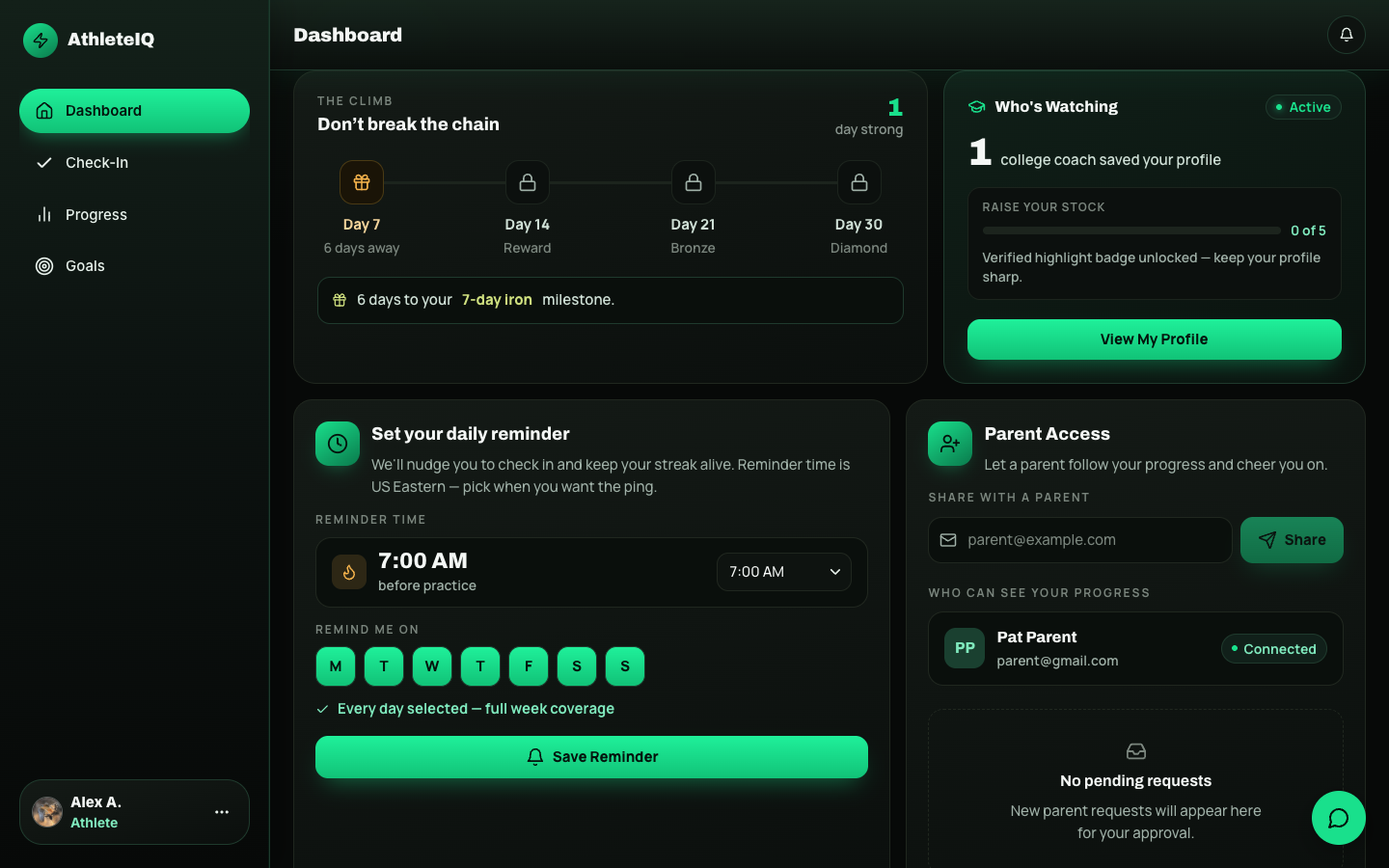
Athletes see Parent Access on their dashboard (share email + connected parents). Parents use Children → Link by email on their own account.
Path B — Your child invites you first
Section titled “Path B — Your child invites you first”- Your child shares your email from Share with a parent on their AthleteIQ dashboard.
- You create a Parent account (or sign in if you already have one).
- If you’re not connected automatically, your child approves the pending request.
- Your child appears under Connected on your Children page.
What you can and cannot do
Section titled “What you can and cannot do”You can
- See check-in status, scores, and trends
- Read insights and coach shoutouts when shared
- View shared coach evaluations
- Send messages and reminders
- Monitor multiple children from one account
You cannot
- Complete check-ins for your child
- Edit their profile or goals
- See data before they approve the link
- Access coach tools or other athletes’ data
Quick reference
Section titled “Quick reference”| Step | Action | You’re done when… |
|---|---|---|
| 1 | Create Pathway account | You’re signed in |
| 2 | Choose Parent | Role is set |
| 3 | Link by email or accept child invite | Request sent / invite received |
| 4 | Athlete approves | Child appears under Connected |
| 5 | Open Dashboard / Progress | You can see today’s status and trends |
What “done” looks like
Section titled “What “done” looks like”- Your role is Parent in AthleteIQ
- At least one child shows as Connected (not only Pending)
- Dashboard shows check-in status (or an empty-today state that isn’t “Link your child”)
- You know how to open Progress and Messages without hunting
A healthy weekly rhythm
Section titled “A healthy weekly rhythm”- Glance at whether they checked in today
- Once a week, open Progress and ask one curious question (not an interrogation)
- Celebrate shoutouts when coaches send them
- Use Messages for encouragement — not to redo their check-in for them
Common questions
Section titled “Common questions”I sent a link request but nothing happened.
Ask your child to check AthleteIQ for a pending parent request and approve it.
I used the wrong email.
Cancel the pending request on Children and resend with the correct address — or have your child invite you from their side.
My dashboard says “Link your child.”
You aren’t connected yet. Go to Children and send a link request.
Can I follow more than one child?
Yes. Use Children to link additional athletes — each one must approve.
I picked Athlete by mistake.
Use Feedback & support so Pathway can help. Don’t create a second account without asking.
- For parents in AthleteIQ — dashboard map and day-to-day use
- Character pillars — the language behind check-ins
- Feedback & support
- Troubleshooting