

Daily check-in
What the daily check-in is
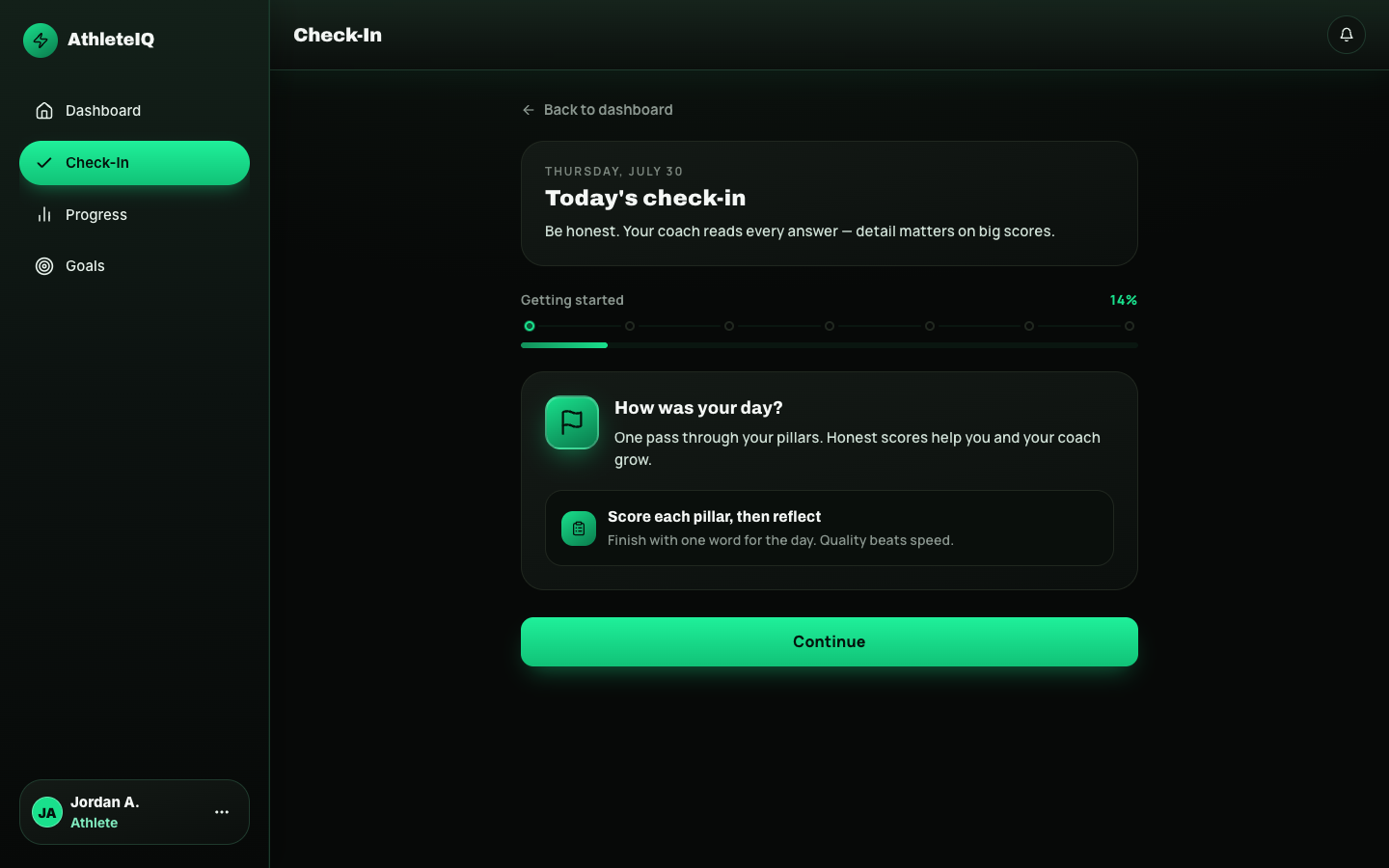
Section titled “What the daily check-in is”The daily check-in is AthleteIQ’s core habit. Once a day, you rate yourself on the five character pillars, add a short wrap-up, and submit. It usually takes a couple of minutes.
It’s short on purpose: build consistency without feeling like homework. One check-in per day. Streaks and your AthleteIQ score grow from showing up honestly.
Finish today’s check-in so your score, streak, insights, and coach/parent visibility stay current.
Prerequisites
Section titled “Prerequisites”Before check-in unlocks, you need:
- A Pathway account and Athlete role (athlete getting started)
- Membership on a team (Teams & roster)
Age-tier formats
Section titled “Age-tier formats”Same five pillars — different UI by age:
| Age tier | What you’ll rate with | Extra prompts |
|---|---|---|
| Youth (8–12) | Emoji-style ratings per pillar | Simpler language |
| Middle school (13–14) | Scores from 1–10 plus short reflections | Brief written thoughts |
| High school (15–18) | Numeric scores, reflections, optional notes | Room for more detail |
| College (18–22) | Same depth as high school | Additional prompts where relevant (including NIL-related where shown) |
Your birthday / age group in AthleteIQ chooses the format. If it feels wrong for you, see troubleshooting below.
Step-by-step
Section titled “Step-by-step”-
Open AthleteIQ and go to home (dashboard).
-
Start Today’s check-in, or open Check-In from navigation.
-
Read the intro if shown, then continue.
-
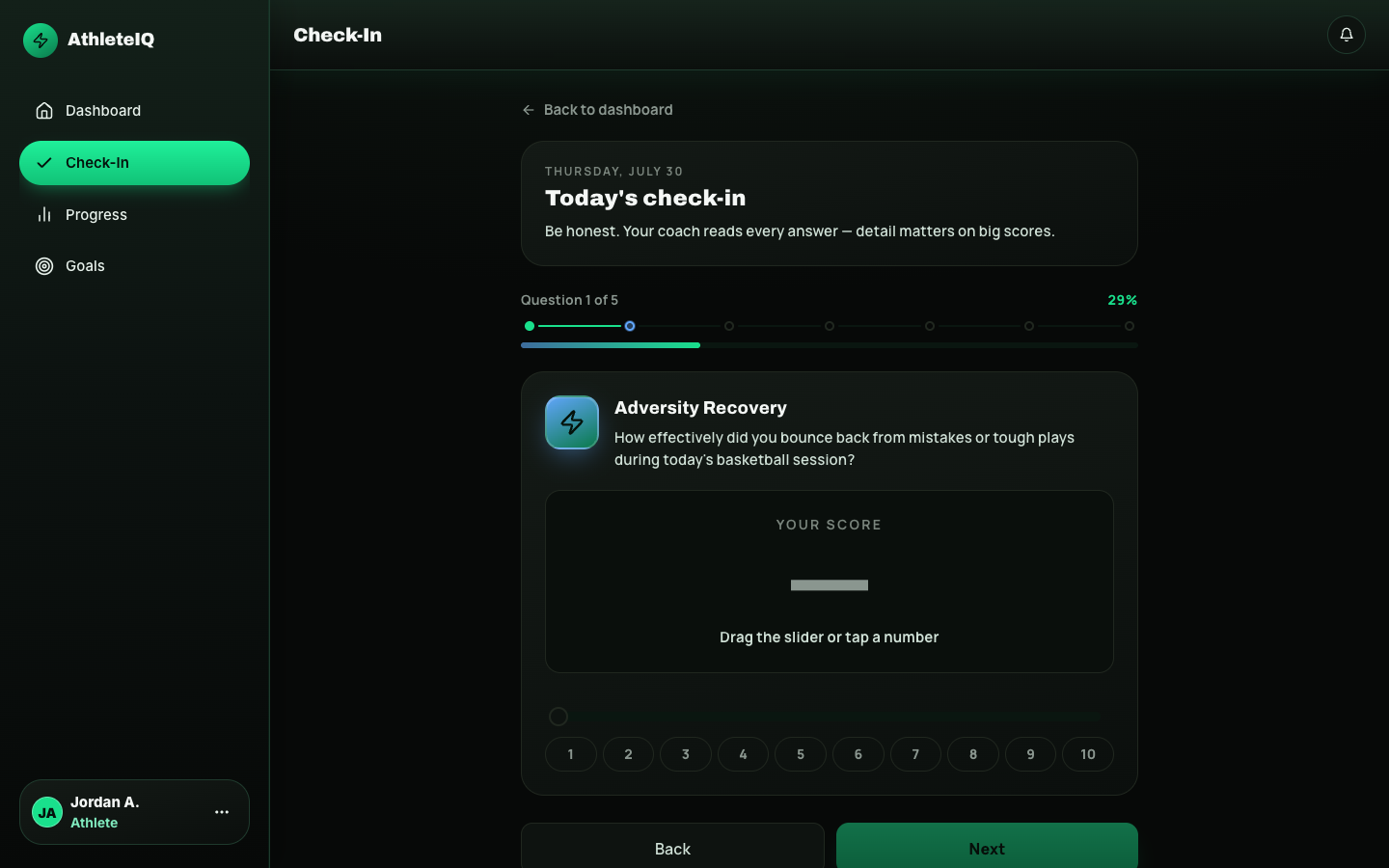
For each pillar, give today’s rating:
- Youth: pick the emoji that fits how you showed up
- Older tiers: choose a 1–10 score and add a short reflection when asked
- Be honest — trends matter more than a perfect day
-
At the end, add a one-word summary (and optional notes if offered).
-
Review any validation feedback (the app may nudge you if something looks incomplete).
-
Read recommendations if they appear:
- Micro-challenges
- Goal ideas
- Learning / lesson suggestions tied to a weaker pillar
-
Finish. You’re checked in for the day.
What success looks like
Section titled “What success looks like”| Signal | Where you’ll see it |
|---|---|
| Streak updates | Dashboard identity / streak area |
| AthleteIQ score moves | Dashboard score + Progress charts |
| Insights / actions refresh | Dashboard cards |
| Coach sees you checked in | Coach dashboard / roster flags |
| Linked parent sees today | Parent dashboard check-in status |
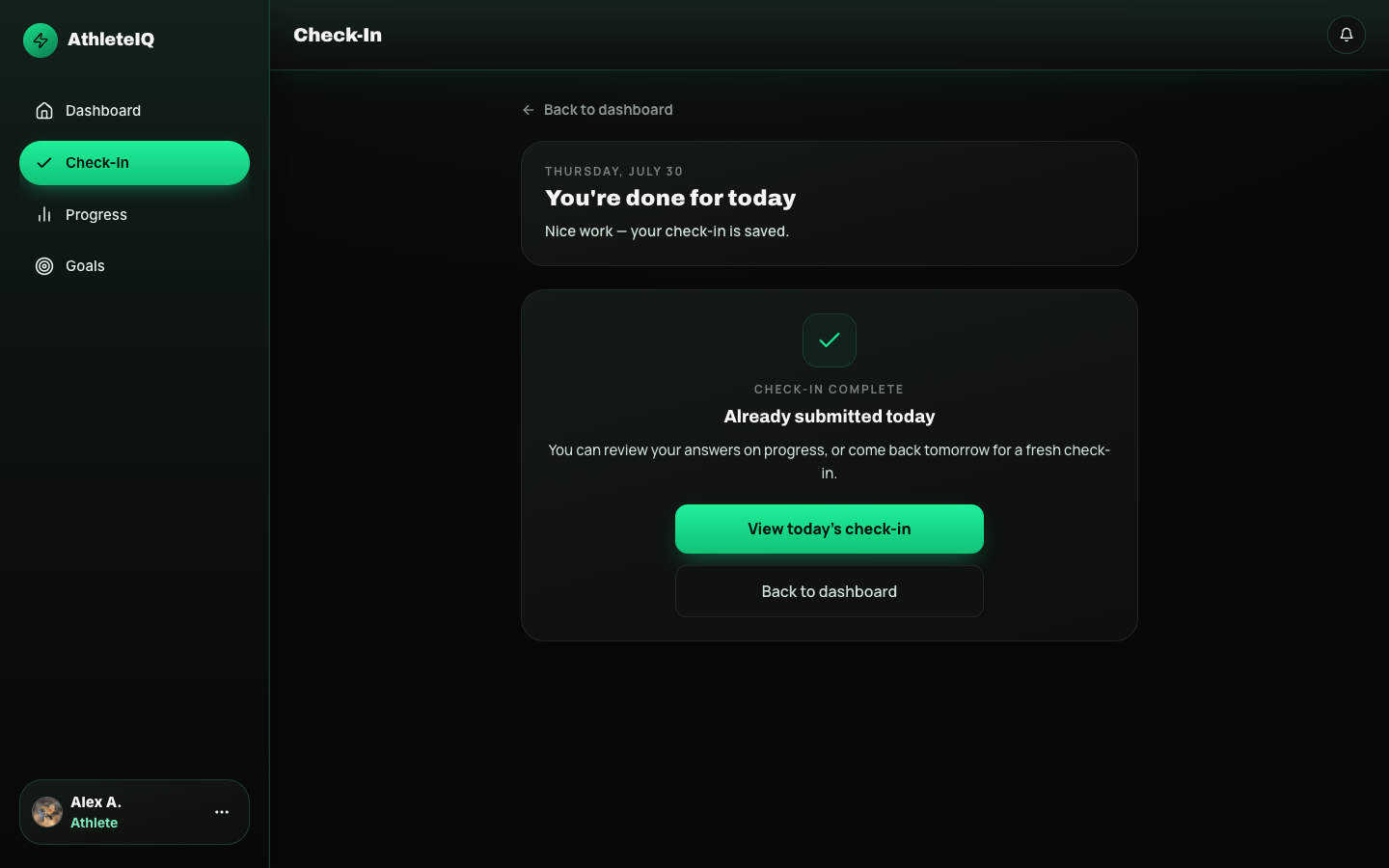
You cannot submit a second check-in the same day. Come back tomorrow.
Good habits
Section titled “Good habits”- Check in around the same time each day (after practice works well for many athletes)
- Rate the day you actually had — not the day you wish you had
- If one pillar is low for several days, try the recommended lesson or talk with your coach
- Turn on a daily reminder from the dashboard if you forget
How coaches and parents use your check-in
Section titled “How coaches and parents use your check-in”- Team coaches see who checked in, who missed, and follow-up flags
- Linked parents see whether today’s check-in is done and how trends look over the week
- Nobody else can complete the check-in for you
If something goes wrong
Section titled “If something goes wrong”| Issue | Likely cause | What to try |
|---|---|---|
| No check-in button / locked | Not on a team | Join with invite code |
| Already completed | One per day | Wait until tomorrow |
| Questions feel too young/old | Wrong age tier | Confirm birthday / age group in profile; ask coach or Feedback |
| Score didn’t update | Delay or glitch | Refresh; wait a minute; submit Feedback if it persists |
| App closed mid-check-in | Session interrupted | Re-open Check-In; finish any incomplete step |
| Don’t understand a pillar | New to the language | Read Character pillars |