

Partner rollout checklist
Work through this list in order. Skipping ahead usually creates a week of “why can’t I check in?” messages for athletes and parents.
Golden sequence: coaches first → athletes second → parents third.
Who owns what
Section titled “Who owns what”| Owner | Owns |
|---|---|
| Pathway partner contact | School readiness, coach onboarding access, coach review prioritization during launch week |
| Program lead / AD | Communicate the plan, collect coach names, keep Pathway informed when profiles are submitted |
| Team coaches | Finish setup, create teams, share invite codes, run early shoutouts |
| Athletes | Sign up, join team, check in, approve parent links |
| Parents | Sign up, request or accept linking, confirm dashboards work |
Checklist (do these in order)
Section titled “Checklist (do these in order)”1. Confirm your school is ready
Section titled “1. Confirm your school is ready”Your Pathway partner contact confirms your organization is set up for Beta. Don’t invite athletes until this is done.
Done when: Pathway says you’re cleared to give coaches onboarding access.
2. Get coach onboarding access
Section titled “2. Get coach onboarding access”Collect the list of coaches (and college staff, if any) who need AthleteIQ tools. Pathway provides the coach invite / onboarding path — not the public Athlete/Parent signup.
Done when: Every coach who needs access has their invite link or instructions.
3. Each coach completes setup and waits for review
Section titled “3. Each coach completes setup and waits for review”Coaches create or sign in with a Pathway account, choose Team Coach or College Coach, submit school/sport/title details, and wait on the pending screen.
Your job as program lead: Tell Pathway when a batch of coaches has submitted so reviews can move quickly during launch week.
Done when: Coaches see that their profile was approved (coach tools unlock).
4. Each approved coach creates a team
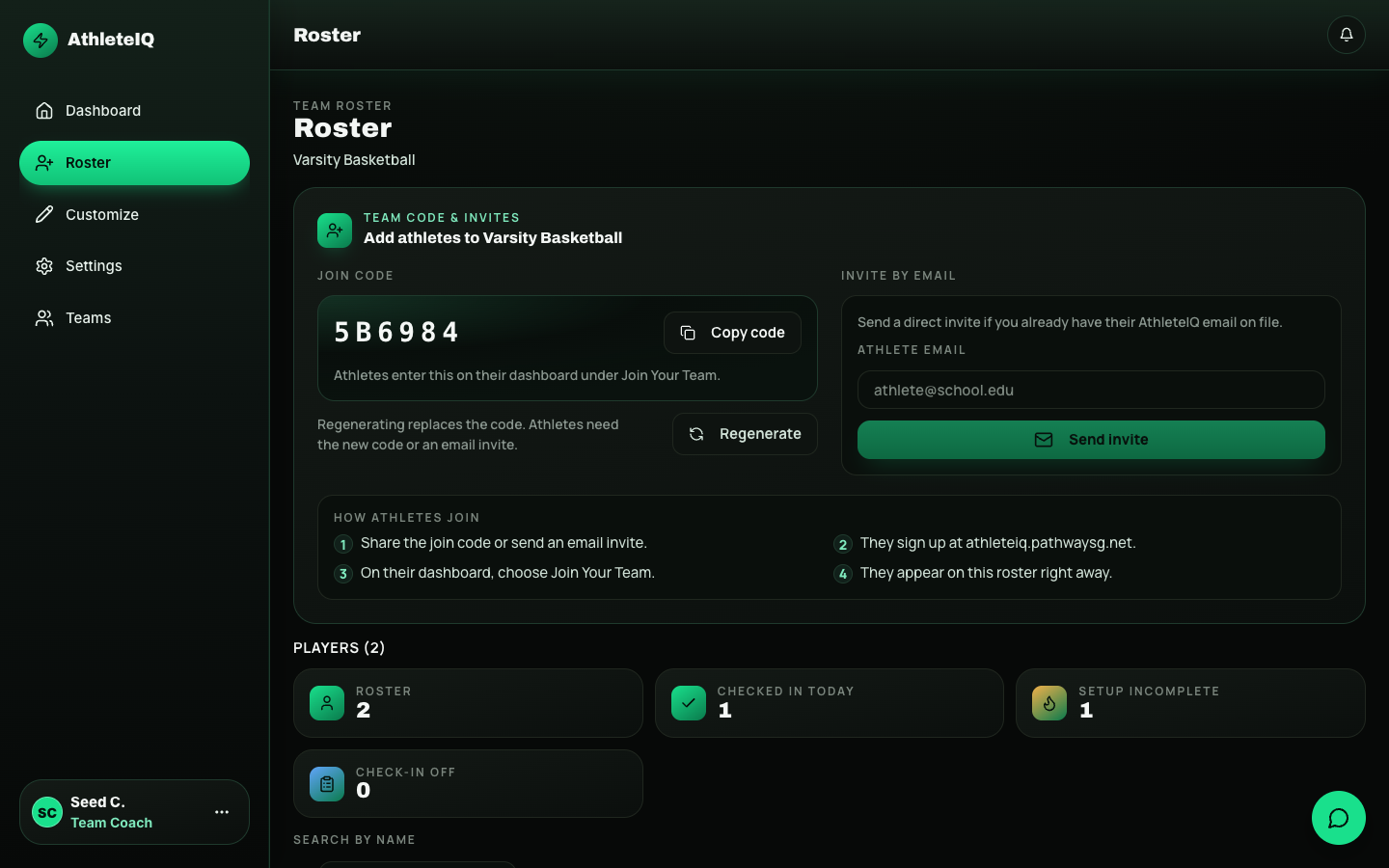
Section titled “4. Each approved coach creates a team”Team coaches open AthleteIQ → create a team → copy the 6-character invite code.
College coaches skip team creation and go to recruiting tools instead.
Done when: Every team that will use AthleteIQ has a code ready to share.
5. Share invite codes with athletes
Section titled “5. Share invite codes with athletes”Coaches share codes in practice, group chat, or email. From the roster, they can also send email invites.
Done when: Athletes know which code (or email link) belongs to their team.
6. Athletes sign up, finish profiles, and join teams
Section titled “6. Athletes sign up, finish profiles, and join teams”Athletes create one Pathway account, complete AthleteIQ onboarding as Athlete, then join with the code (or accept the email invite).
Done when: Rosters start filling and athletes can open check-in.
7. Athletes link their parents
Section titled “7. Athletes link their parents”Athletes share a parent email from their dashboard, or parents request a link from theirs. The athlete must approve before any parent data appears.
Done when: Interested families see a linked parent dashboard.
8. Athletes begin daily check-ins
Section titled “8. Athletes begin daily check-ins”Once on a team, athletes do the short daily check-in. Coaches watch team pulse and send early shoutouts to reinforce the habit.
Done when: Check-in completion is climbing by mid-week of athlete launch.
Copy-paste talking points
Section titled “Copy-paste talking points”For coaches (Week 0–1)
Section titled “For coaches (Week 0–1)”You’ll get a private coach setup link (not the public AthleteIQ sign-up). Submit your profile, wait for Pathway review, create your team, and share the 6-character invite code. Athletes can’t check in until they’re on your team.
For athletes (Week 2)
Section titled “For athletes (Week 2)”Create one Pathway account, finish AthleteIQ as Athlete, join with your coach’s code, then check in daily (a couple of minutes). You control whether a parent can see your data.
For parents (Week 3)
Section titled “For parents (Week 3)”Create a Pathway account, choose Parent, then link to your athlete. Nothing appears until your athlete approves. Use Feedback on the website if something looks wrong.
Week-by-week timeline
Section titled “Week-by-week timeline”Week 0 — Preparation
Section titled “Week 0 — Preparation”- Confirm school readiness with Pathway
- Collect coach onboarding access for your staff
- Share the plan with coaches, athletes, and parents (use the talking points above)
- Point staff to Roles & access and role getting-started guides
Week 1 — Coaches first
Section titled “Week 1 — Coaches first”- Coaches complete setup and submit profiles
- Program lead notifies Pathway that submissions are in
- Pathway reviews coaches so tools unlock safely
- Coaches create teams and share invite codes
- Spot-check: at least one coach can open AthleteIQ team tools
Week 2 — Athletes join
Section titled “Week 2 — Athletes join”- Athletes sign up, finish profiles, join with invite codes
- Athletes complete first check-ins
- Athletes start parent linking (don’t require every family on day one)
- Spot-check: roster has names; someone completed a check-in
Week 3 — Parents connected
Section titled “Week 3 — Parents connected”- Parents sign up and link (athlete approval required)
- Parents confirm they can see dashboards
- Coaches send first shoutouts and review team pulse
- Spot-check: at least one successful parent link per interested family group
Ongoing
Section titled “Ongoing”- Daily check-ins become habit
- Use Feedback for product issues and ideas
- Keep sharing what’s working with Pathway during Beta
- Use Troubleshooting before escalating
First-week success signals
Section titled “First-week success signals”| Signal | Why it matters |
|---|---|
| Most athletes on each team have joined with the invite code | Rosters are real |
| Check-in completion trends up by mid-week | The habit is landing |
| At least one parent link completed for interested families | Trust model works end-to-end |
| Coaches can see missed check-ins and follow up | Coaching tools are useful |
| Few “can’t check in” tickets | Sequencing worked |