

Activity & profile
What this section covers
Section titled “What this section covers”On the platform website, Activity and Profile are about your Pathway identity and how you engage with learning content — not AthleteIQ athletic scores.
| Page | Purpose |
|---|---|
Activity (/activity) |
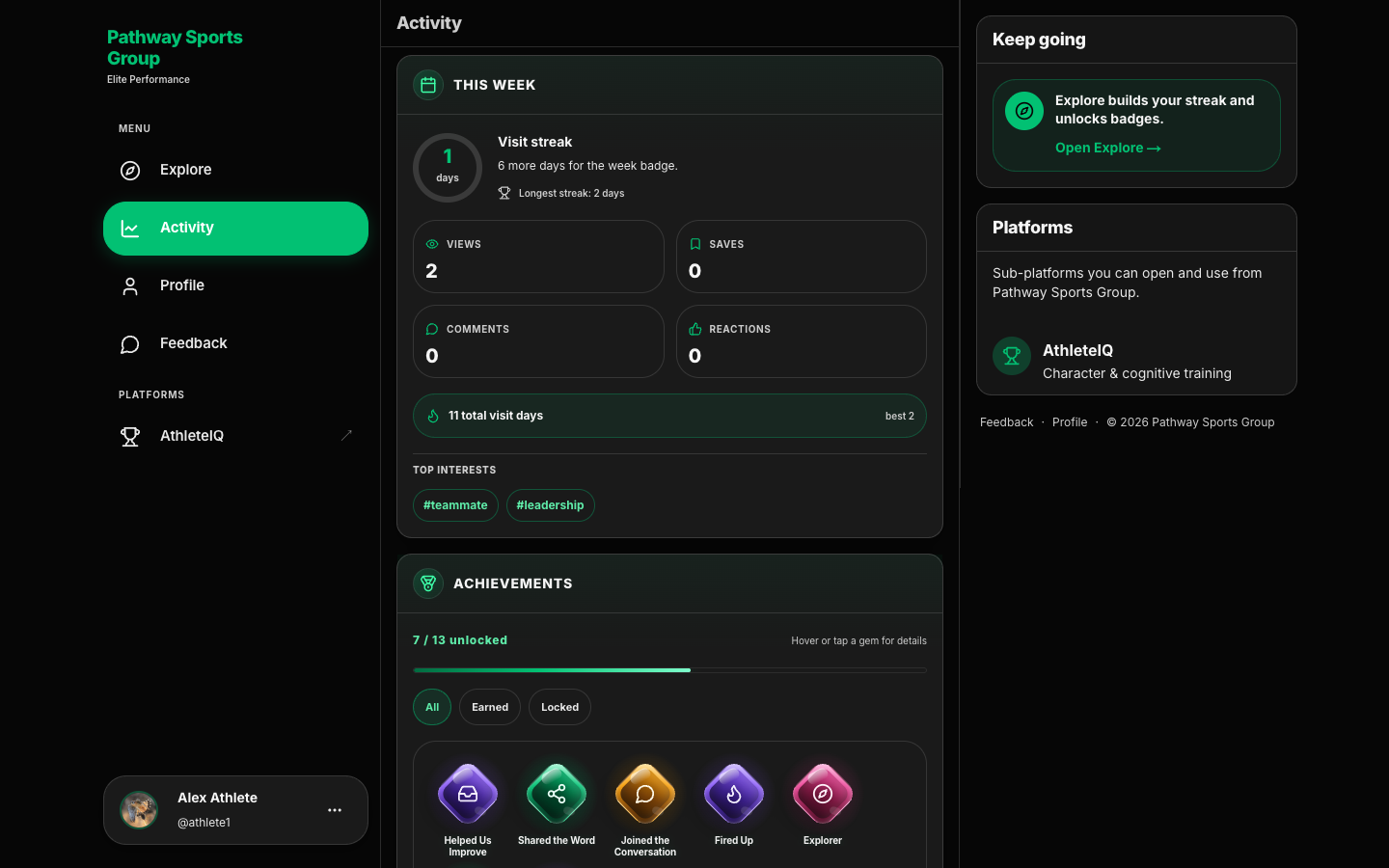
This week’s streak and counts, achievements, charts, and a recent-activity timeline |
Profile (/profile) |
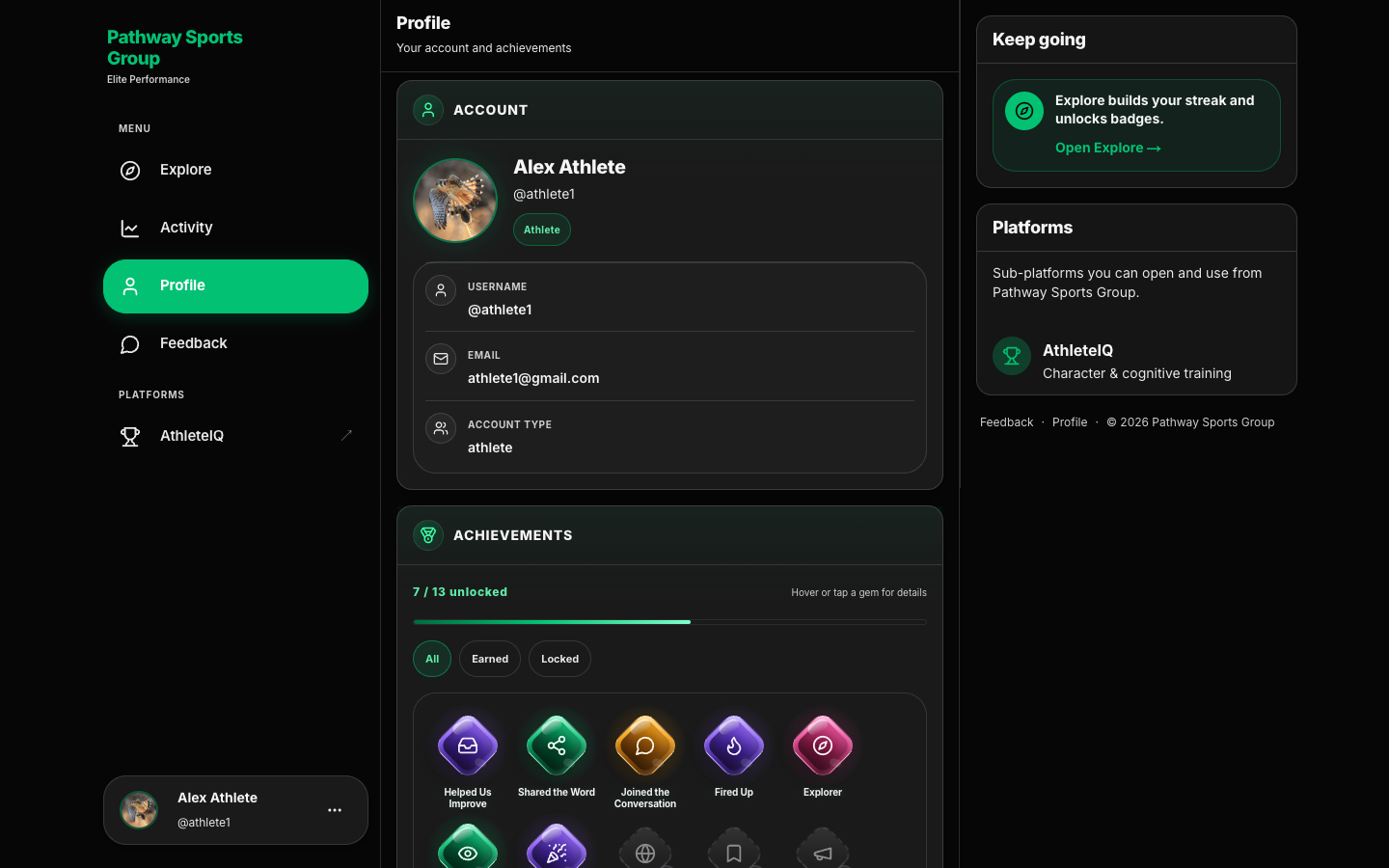
Account summary, achievements, and editable name / username / photo |
Athletic details (sport, school, recruiting visibility, check-in history) live in AthleteIQ.
Prerequisites
Section titled “Prerequisites”- A Pathway account (sign up & login)
- You’re signed in on pathwaysg.net
Activity — what you’ll see
Section titled “Activity — what you’ll see”Open Activity from the sidebar. The page is titled Activity (on mobile, related drawers may say Insights).
This week
Section titled “This week”At the top you’ll typically see:
| Element | What it means |
|---|---|
| Visit streak | How many consecutive days you’ve visited the platform |
| Longest streak | Your best streak so far |
| Views / Saves / Comments / Reactions | This week’s engagement with Explore (and related actions) |
| Total visit days | Longer-run visit total |
| Top interests (when shown) | Tags you’ve engaged with — tap to jump back into Explore |
Achievements
Section titled “Achievements”Badge gems with filters All / Earned / Locked, plus a count like {earned} / {total} unlocked. Hover or tap a gem for details.
Activity chart
Section titled “Activity chart”Optional deeper view of your history:
| Control | Options |
|---|---|
| Mode | Count or Relative |
| Category | All activity, Explore, or Feedback |
| Range | 7 days, 14 days, 30 days, or Custom dates |
Empty range copy: No events in this date range.
Recent activity
Section titled “Recent activity”A timeline of what you did, grouped as Today, Yesterday, This week, or Earlier.
| You’ll see | Examples |
|---|---|
| Category chips | Visit, View, Save, React, Comment, Share, Feedback |
| Action verbs | Viewed, Saved, Reacted, and similar labels |
| Linked titles | Explore materials or Feedback tickets when relevant |
Toggle Minor events off / on if the list feels noisy. Empty state points you to Browse Explore to get started.
Keep going (right rail)
Section titled “Keep going (right rail)”Activity’s side rail reminds you that Explore builds your streak and unlocks badges, with a shortcut Open Explore →.
How to use Activity well
Section titled “How to use Activity well”- Sign in on pathwaysg.net.
- Spend a few minutes in Explore (view, like, bookmark, or comment).
- Open Activity and check This week.
- Review Recent activity if you want a trail of what you engaged with.
- Partners/coaches: use saves as a reminder of resources worth sharing with families.
Profile — what you can see and edit
Section titled “Profile — what you can see and edit”Open Profile from the sidebar (subtitle: Your account and achievements).
Account (read-only summary)
Section titled “Account (read-only summary)”| Field | Notes |
|---|---|
Display name + @username |
How you appear on the platform |
| Shown — not edited here | |
| Account type / role | Shown — not edited here |
Achievements
Section titled “Achievements”Same badge section as Activity, plus a link View full activity history → to /activity.
Edit profile
Section titled “Edit profile”| Field | What to do |
|---|---|
| Profile photo | Upload a photo or Change photo; optional Remove photo. JPG, PNG, or WebP · up to 5 MB. Saved when you tap Save changes |
| Full name | Update so coaches and parents recognize you |
| Username | Letters, numbers, underscores · 3–30 characters |
Tap Save changes. Success message: Profile saved.
Platform profile vs AthleteIQ profile
Section titled “Platform profile vs AthleteIQ profile”| On the platform website | In AthleteIQ |
|---|---|
| Full name, username, photo | Sport, school, birthday, position |
| Website achievements / engagement | Pillars, streaks, XP, recruiting visibility |
| Explore / Activity habits | Check-ins, goals, teams |
Both use the same login. You’re not maintaining two passwords.
Not on the platform Profile page: bio, sport, password change, notification prefs, or a public profile for other users. This page is your signed-in account editor + badges.
What success looks like
Section titled “What success looks like”- After using Explore, Activity’s This week counts move
- Achievements show earned vs locked badges
- Profile name and photo look correct after Save changes
- You know where to edit website identity vs AthleteIQ athletic details
If something goes wrong
Section titled “If something goes wrong”| Issue | What to try |
|---|---|
| Activity looks empty | Browse Explore first, then return; turn Minor events on |
| Chart says no events | Widen the date range or switch category to All activity |
| Can’t change photo | Use JPG/PNG/WebP under 5 MB; tap Save changes; submit Feedback if it still fails |
| Username rejected | Use 3–30 letters/numbers/underscores only |
| Wrong name showing in AthleteIQ | Update platform Full name, refresh AthleteIQ; edit AthleteIQ athletic fields separately |
| Looking for check-in history | That’s in AthleteIQ → Progress, not Activity |