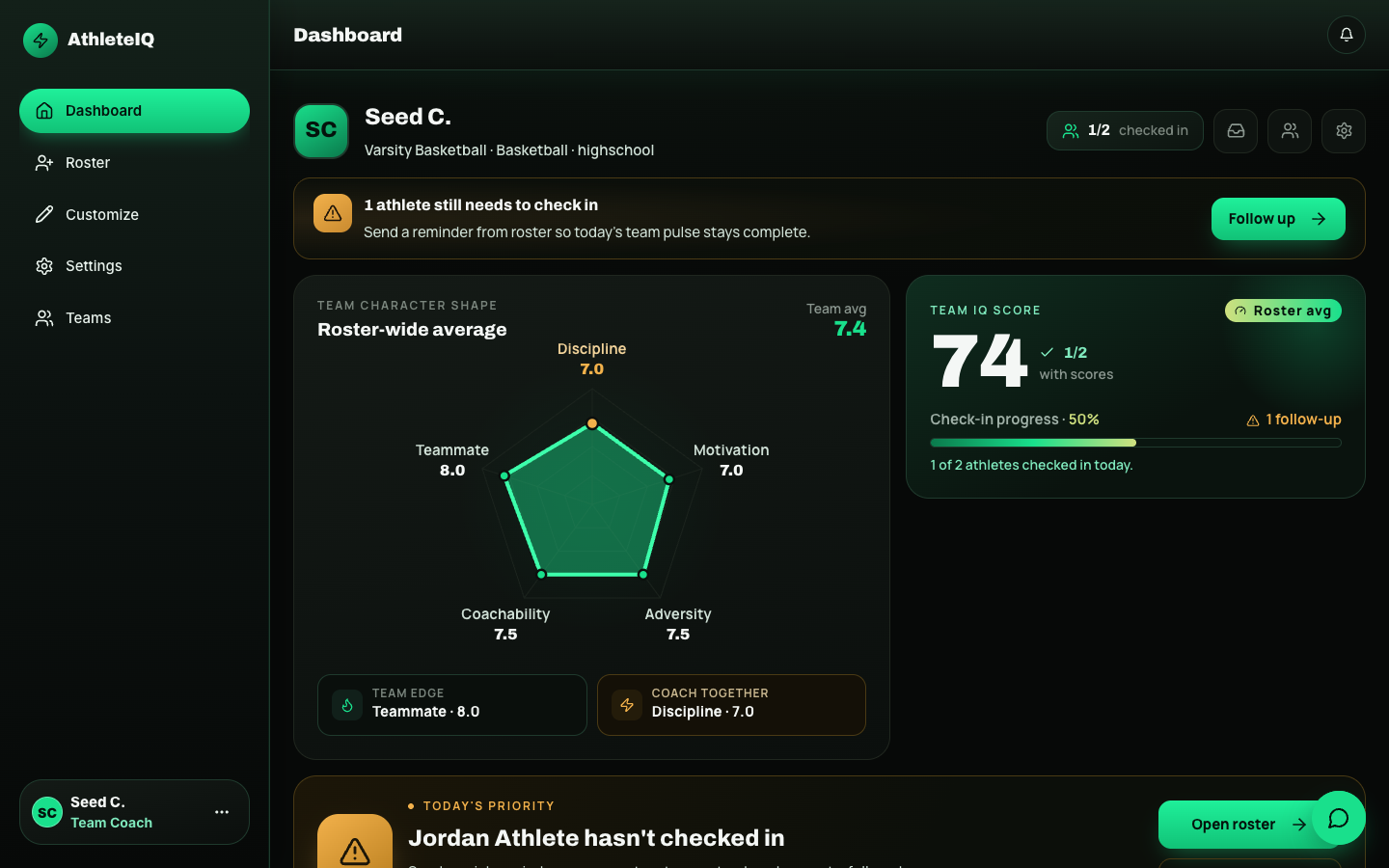
After Pathway approves your coach profile, AthleteIQ becomes your morning pulse: who checked in, who needs follow-up, and how team culture is trending — not just wins and losses.
New coach? Start with Team coach getting started. This page is day-to-day coaching after you’re approved and have a team.
- Coach profile approved by Pathway
- At least one team created with an invite code shared (Teams & roster)
- Athletes joining the roster
| Card / area |
Why it’s useful |
Typical action |
| Missed check-in alerts |
Who didn’t check in today |
Follow up with a message or in-person nudge |
| Team pillar shape |
Culture across the five pillars |
Spot which pillar needs a weekly focus |
| Team IQ average |
Quick health read for the group |
Track week over week, not hour by hour |
| Follow-up actions |
Who needs attention |
Prioritize 1–3 athletes, not the whole roster at once |
| Team insights |
Pattern notes |
Use as meeting talking points |
| Roster preview |
Check-in / attention flags |
Jump into athlete detail |
| Invite code |
Share so athletes can join |
Keep it handy during Week 1–2 of rollout |
| Shoutouts |
Recognition without leaving home |
Send when character shows up |
| Area |
What it’s for |
When to use it |
| Teams |
Create or switch teams; set name, sport, age tier |
New season, multiple squads |
| Roster |
Full athlete list, invites, management |
Adding athletes, auditing who joined |
| Athlete detail |
Today’s check-in, self/coach/peer scores, streak, insights, evaluations |
Before a hard conversation |
| Customize |
Rename pillars, toggle pillars, set focus pillar, adjust age-tier behavior |
Early in the season; revisit monthly |
| Evaluate |
Formal coach evaluation (separate from daily check-ins) |
Planned evaluation windows |
| Messages |
Inbox with athletes and parents |
Follow-ups and encouragement |
| Settings |
Edit team name, sport, age tier |
Corrections after create |
| Status |
What you’ll experience |
| Pending |
Coach tools stay limited — Pathway is reviewing |
| Approved |
Full coach dashboard |
| Not approved |
Contact Pathway via Feedback or your program lead |
- Open the dashboard.
- Note missed check-ins.
- Send at least one shoutout when someone shows strong character.
- Message or plan a quick word with athletes who need follow-up.
- Review team pillar shape and IQ trend.
- Set or refresh the focus pillar.
- Spot-check 2–3 athlete detail pages.
- Confirm new athletes received the invite code.
- Run formal evaluations for athletes who need structured feedback.
- Adjust Customize settings if the check-in experience isn’t landing for your age group.
- Share what’s working with your program lead during Beta.
| Tool |
Purpose |
| Shoutout |
Fast public/private recognition for character moments |
| Evaluation |
Formal pillar-based coach assessment, separate from the athlete’s daily self-check-in |
Use shoutouts often. Use evaluations when you want a recorded coaching judgment.
- Roster has most expected athletes joined
- You can name who missed check-in today without scrolling forever
- Athletes know the invite code path
- Families know Feedback exists for product issues
| Issue |
What to try |
| Empty roster |
Share invite code again; confirm athletes finished Join Team |
| Still pending |
Ask program lead to follow up with Pathway; submit Feedback |
| Wrong age tier on team |
Edit in Settings / team setup |
| Athletes see wrong check-in style |
Confirm team age group + athlete birthdays |
| Can’t message someone |
Confirm they’re on your roster / linked appropriately |